Follow the light
Choose manual control, fixed times, or locally calculated sunrise and sunset schedules.

By Quack & Honk · For Windows
Let your desktop follow the day.
Keep your Windows theme, wallpaper scenes, and optional screen warmth in step with your day.
Coming soon to Microsoft Store
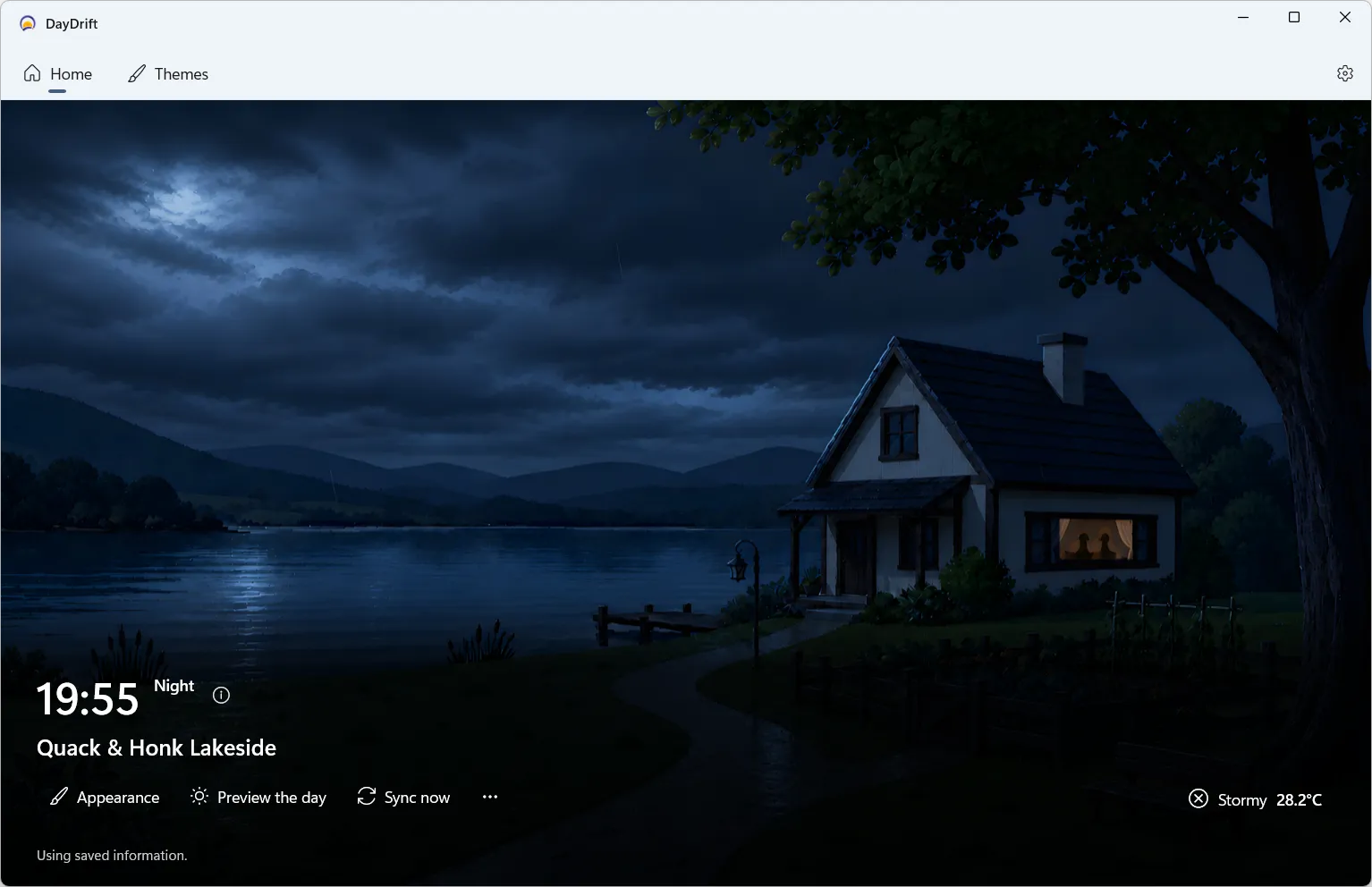
A calmer Windows desktop
Choose manual control, fixed times, or locally calculated sunrise and sunset schedules.
Choose wallpaper scenes for different times and weather. If a scene is unavailable, your current desktop stays in place.
Add an optional screen tint for the hours when softer light feels right.
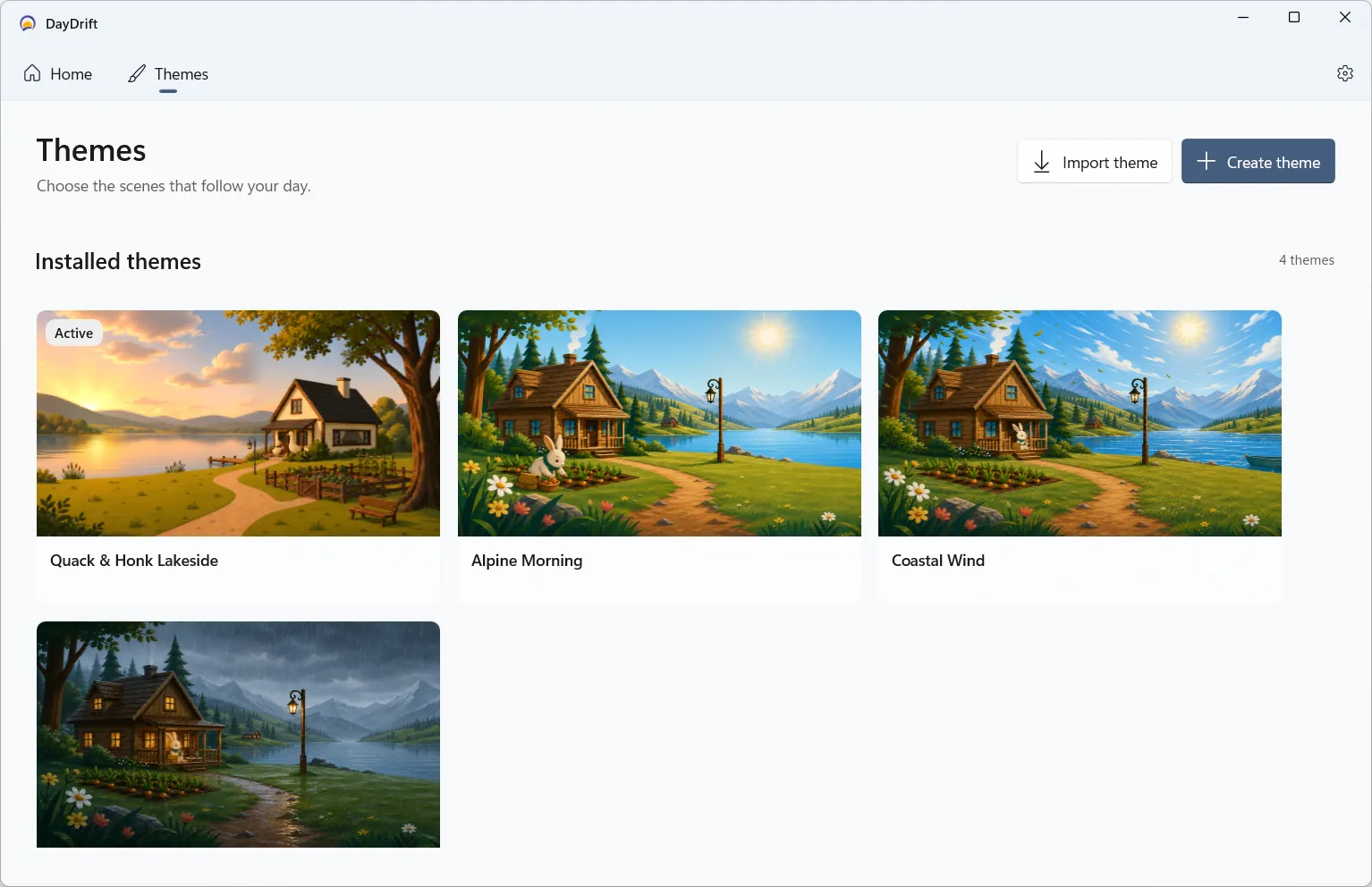
Theme library
Browse a collection, import a portable theme, or begin with a starter. Preview the scenes before choosing what goes on your desktop.
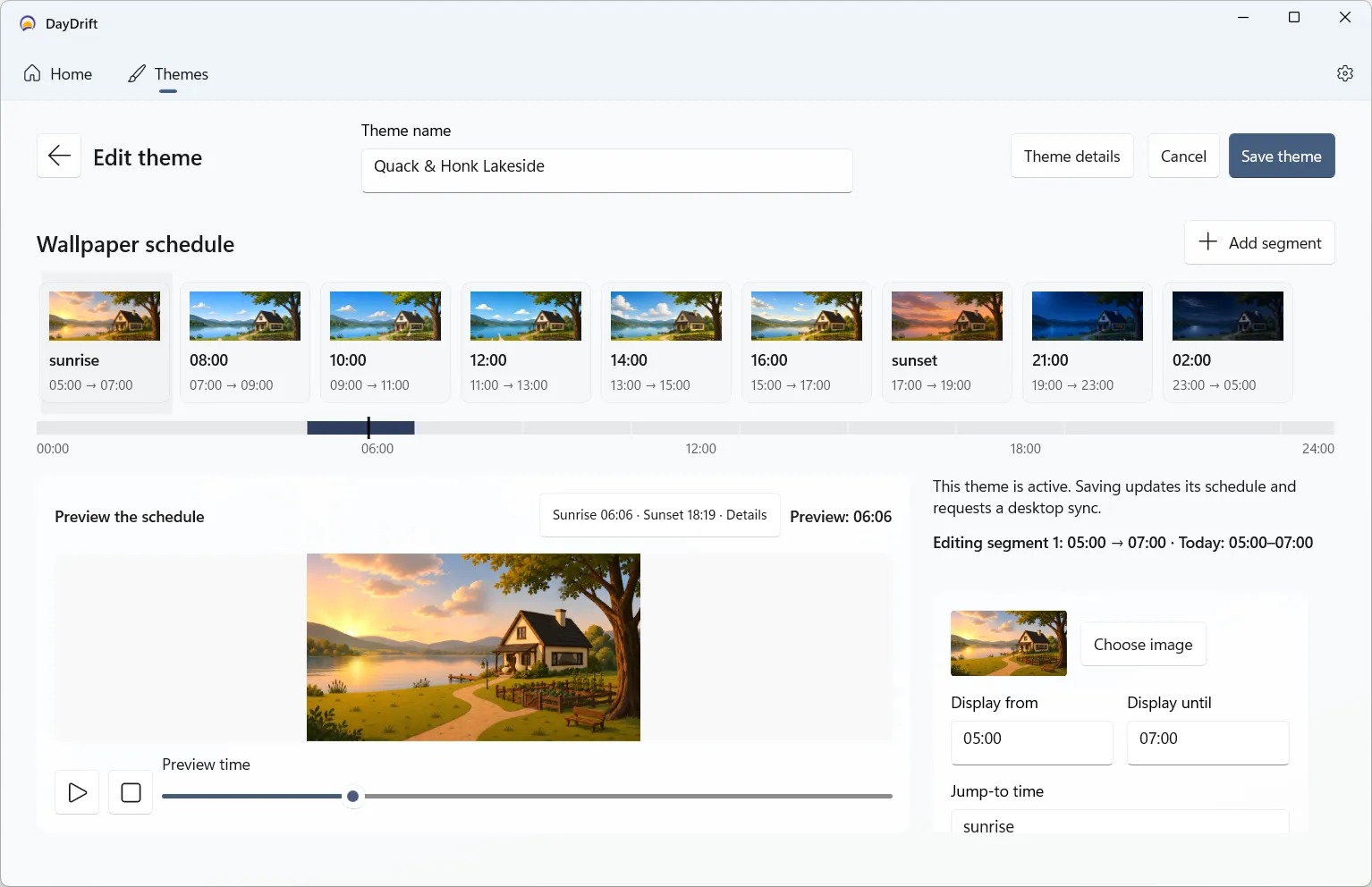
Theme editor
Arrange your wallpapers along a 24-hour timeline, with fixed times, sunrise, and sunset as your guide.
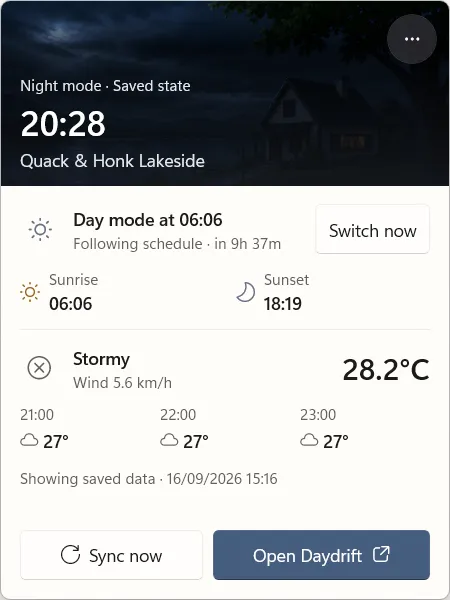
Quick controls
Open DayDrift from the Windows notification area to check the current status, the next schedule change, sunrise, sunset, and weather.
Make a quick adjustment, then get back to what you were doing.
Made by Quack & Honk
A small Windows utility for your theme, your scenes, and the rhythm of your day.
 Coming soon to Microsoft Store